Quick answer
Which is better for a small business in India, cloud or desktop software?
In the cloud vs desktop software choice, cloud software suits businesses with more than one location, field staff or owners who want reports on the phone. Desktop software suits a single office with weak internet and a few users on fixed computers. Many Indian SMEs end up with a mix: cloud for daily work and offline backup for safety.
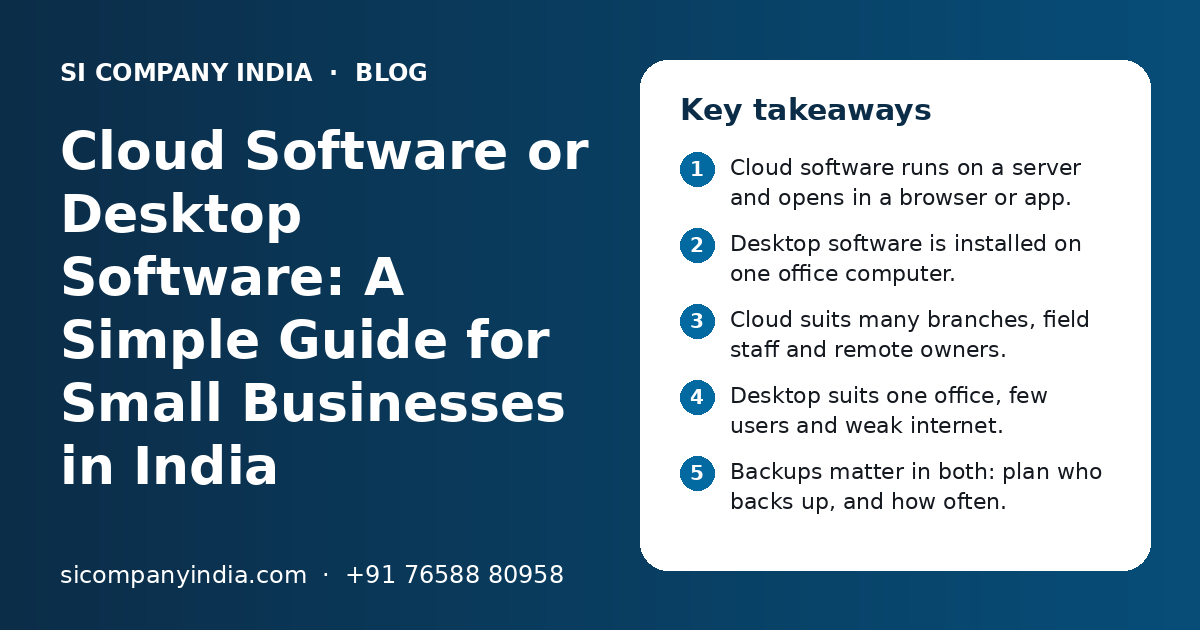
Key takeaways
- Cloud software runs on a server and opens in a browser or app.
- Desktop software is installed on one office computer.
- Cloud suits many branches, field staff and remote owners.
- Desktop suits one office, few users and weak internet.
- Backups matter in both: plan who backs up, and how often.
- A hybrid setup often works best for Indian SMEs.
What is the difference between cloud and desktop software?
Desktop software is installed on a computer in your office and keeps data on that computer or a local server. Cloud software runs on a server on the internet, and your team opens it in a browser or a mobile app from anywhere.
Then the business grows. A second branch opens. Sales staff go on the road. The owner wants to see today's sales from home. That is usually when the cloud vs desktop software question comes up.
Cloud vs desktop software: how do they compare side by side?
Cloud software wins on access and sharing, while desktop software wins on working without internet and keeping data inside the office. The table below shows the main points.
| Point | Cloud software | Desktop software |
|---|---|---|
| Where it runs | On a server on the internet | On a computer in your office |
| Access | From any place, on laptop or phone | Only from the office computer or network |
| Internet needed | Yes, for most work | No, works offline |
| Many branches | Easy, all see the same data | Hard, data must be synced or sent by hand |
| Field staff | Can use a mobile app on the go | Usually cannot use it outside office |
| Updates | Done on the server for everyone | Installed on each computer |
| Backups | Can be automatic on the server | Depends on someone in the office |
| If a PC breaks | Data is safe on the server | Data may be lost without a backup |
| Payment style | Often a monthly or yearly fee | Often a one-time licence plus upkeep |
| Control of data | Stored with a cloud provider | Stored inside your office |
No column is right for every business. The best choice depends on your team size, locations, internet and how you like to manage data.
When is cloud software the better choice?
Cloud software is the better choice when people need the same data from different places at the same time. It also helps when you do not want to depend on one office computer.
Signs your business needs cloud software
- You have two or more branches, shops or warehouses.
- Sales or service staff work in the field and need to log visits or orders.
- The owner wants daily sales, stock or payment reports on the phone.
- Your accountant or CA works from another city and needs access.
- You keep sending Excel files on WhatsApp to share updates.
- You worry about what happens if the office computer crashes.
- You want customers or dealers to log in to see orders or invoices.
For example, a distributor with a godown in one city and sales staff in three districts gains a lot from cloud software. Orders taken in the field reach the godown at once. The owner sees pending payments without calling anyone.
Our cloud solutions team sets up this kind of system for businesses across India, with access rules so each person sees only what they need.
When does desktop software still make sense?
Desktop software still makes sense for a single office with a few users, weak or costly internet, and no need for remote access. It is also a fair choice when data must stay inside the premises.
- A small shop with one billing counter and no branches.
- A unit in an area where internet often goes down.
- A firm with strict rules that data must not leave the office.
- Work that needs heavy local files, such as large design or drawing files.
- A business that already has stable desktop software and no new needs.
Many Indian businesses run accounting on an office computer and are happy with it. If the software does its job and nobody needs it outside office, there is no reason to move just because cloud is popular.
Is cloud software safe for business data in India?
Cloud software can be very safe when it is set up well, with strong logins, access rules, encryption and regular backups. Desktop software can also be safe, but its safety depends on how well the office computer is protected.
Many owners feel data is safer on their own computer because they can see it. But an office PC can fail, get a virus, be stolen or be damaged by a power surge. If there is no backup, the data is gone.
Cloud safety strengths
- Automatic backups on the server
- Data is not lost if an office PC breaks
- Logins can be blocked at once when staff leave
- Updates and security fixes reach everyone
Cloud safety risks to manage
- Weak passwords can let others in
- Shared logins make it hard to track who did what
- You depend on the provider being reliable
- Wrong access settings can expose data to staff
Simple safety rules for either setup
- Give each person their own login. Never share one password.
- Turn on two-step login where it is available.
- Give staff access only to what their job needs.
- Keep at least one backup copy outside the main system.
- Remove access the same day a person leaves the job.
- Check backups now and then by trying to restore one.
For official guidance on cyber safety in India, you can read the CERT-In website at https://www.cert-in.org.in/.
Need help with your project?
Talk to the SI Company India team. Free first call, simple advice, clear quote.
What about internet problems and working offline?
Internet problems are the main worry with cloud software in India. You can handle them with a backup connection, offline features in the app, or a hybrid setup.
- 1
Check your internet today
Note how often the office connection goes down and for how long. Ask staff in each branch too.
- 2
Add a backup connection
Keep a second line or a mobile hotspot ready, from a different provider if you can.
- 3
Ask for offline features
Some cloud apps can save entries on the device and sync them when the internet returns. This is useful for field staff.
- 4
Keep key screens light
Billing and order screens should open fast even on slow mobile data.
- 5
Plan a manual fallback
Decide how staff will note sales on paper or a simple sheet if everything is down, and who will enter it later.
When we build a web application, we design main screens to work on low-cost phones and slower networks, because that is how many Indian teams work.
What is a hybrid setup, and is it right for you?
A hybrid setup uses cloud software for shared daily work and keeps some tools or backups on office computers. It is often the most practical answer for Indian SMEs.
Here are common hybrid patterns we see:
| Hybrid pattern | How it works | Good for |
|---|---|---|
| Cloud CRM + desktop accounts | Leads and orders in the cloud, books in desktop accounting software | Firms happy with their accountant's current setup |
| Cloud app + Tally sync | Orders and invoices in a cloud app, then sent to Tally | Traders and distributors who use Tally |
| Desktop billing + cloud reports | Counter billing stays offline, sales data uploads to an online dashboard | Shops with weak internet but remote owners |
| Cloud system + local backup | Main system online, with a regular copy saved in the office | Owners who want extra peace of mind |
If you use Tally, you do not need to drop it to get cloud benefits. Our Tally integration services connect a cloud app with Tally so your accountant keeps working the usual way.
In the same way, GST billing software can run online while still giving your CA the reports and exports they need.
What affects the cost of cloud and desktop software?
The cost of both depends on the number of users, features, integrations, data size and support you need. Cloud usually has a running fee, while desktop often has a larger cost at the start plus upkeep.
We do not share fixed prices here, because every business is different. You get a clear quote after a free call. These are the points that change the cost:
- Number of users and branches.
- Ready-made software or custom software built for your process.
- Integrations such as Tally, UPI payments, WhatsApp or e-commerce stores.
- Server size, storage and how much data you keep.
- Mobile app or offline features for field staff.
- Moving old data from desktop files or Excel.
- Training, support and backup plans.
Hidden costs people forget
With desktop software, people forget the cost of computers, local servers, power backup, manual backups and the time spent when a machine fails. With cloud software, people forget to plan for growing storage, extra users and the internet backup line.
Our guide on software development cost in India explains these factors in more detail.
How do you move from desktop to cloud software step by step?
Move in small steps: list your current tools, clean the data, run both systems side by side for a short time, then switch. Do not change everything in one day.
- List every desktop tool you use and what each one does.
- Write down who uses each tool and from where.
- Decide what must move to the cloud first, such as orders or stock.
- Clean old data: remove duplicates, fix names and GSTINs.
- Test the new system with a small team or one branch.
- Run old and new systems together for a short period.
- Train all staff, then switch fully and keep the old data as an archive.
It helps to write your needs clearly before you begin. Our software requirements checklist shows what to note down.
For larger moves, our cloud migration team plans each step so daily work does not stop.
How can SI Company India help you choose?
We look at how your business works today and suggest cloud, desktop or a hybrid setup that fits. We do not push cloud if your current tools are doing the job.
SI Company India is powered by Shivah Web Tech, with 11+ years of experience, a 25+ person in-house team and 500+ projects delivered. Our parent team is a Google Partner, a Meta Business Partner and a Shopify Partner, and is MSME registered.
We work fully online with businesses across India, from our office in Mohali, Punjab. Our team is available Monday to Friday, 9:30 to 6:30 IST, with 24x7 emergency support for urgent issues.
If you are unsure, start with a short talk with our technology consulting team, or contact us for a free call and a clear quote.
Frequently Asked Questions
Is cloud software better than desktop software for a small business?
Not always. Cloud software is better when you have branches, field staff or an owner who wants reports on the phone. Desktop software can be enough for a single office with a few users and weak internet. Look at where your team works, how many people need access and how you back up data before you decide.
Can cloud software work without internet?
Most cloud software needs internet for normal work. Some apps can save entries on the phone or computer and sync them when the connection returns, which helps field staff. For offices, a backup internet line or mobile hotspot is a simple way to avoid stopping work when the main connection goes down.
Is my data safe if it is stored in the cloud?
Cloud data can be very safe when the setup uses separate logins, two-step login, access rules, encryption and regular backups. The bigger risks are often weak passwords and shared logins. Desktop data is not automatically safer, because an office computer can fail, get a virus or be stolen. Good habits matter in both cases.
Can I keep using Tally if I move other work to the cloud?
Yes. Many businesses keep Tally for accounts and move sales, orders or stock to a cloud app. The cloud app can send invoices and payments to Tally through an integration. Your accountant keeps the familiar setup, and your team gets online access for daily work. This hybrid approach is common in India.
Is cloud software more expensive than desktop software?
It depends. Cloud software usually has a monthly or yearly fee, while desktop software often has a larger cost at the start plus upkeep. Over time, desktop setups also need computers, local servers, power backup and manual backups. Compare the full cost over a few years, not just the first payment, before you choose.
How long does it take to move from desktop to cloud software?
It depends on how much data you have, how many tools you use and how many staff need training. A small move with one tool can be quick. A move with several branches and old data takes longer. Running old and new systems side by side for a short time makes the switch safer.
Can you build custom cloud software for my business?
Yes. We build custom cloud software and web applications for businesses across India, with features like GST billing, UPI payments, WhatsApp messages and Tally sync. We start with a free call to understand your process, then suggest the right setup. You get a clear quote before any work begins.