Quick answer
What should a CRM implementation checklist include?
A CRM implementation checklist should cover clear goals, a map of your sales process, lead stages and fields, user roles, clean data import, links to lead sources like IndiaMART, website forms and WhatsApp, testing with real cases, role-wise training, a planned go-live date and regular review in the first three months.
Key takeaways
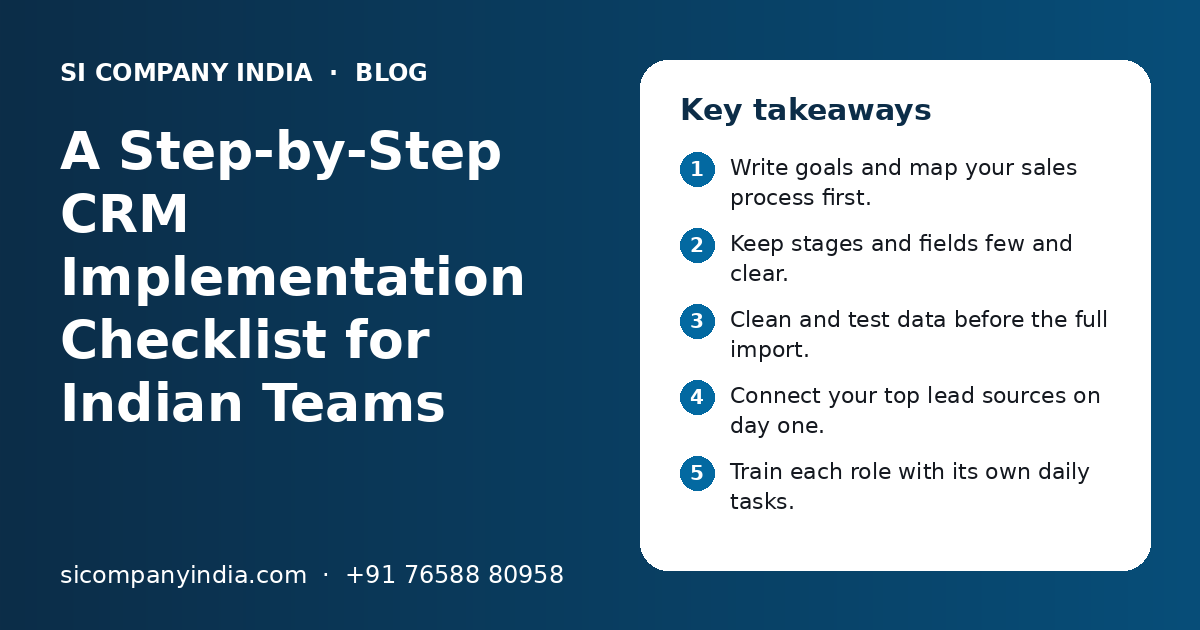
- Write goals and map your sales process first.
- Keep stages and fields few and clear.
- Clean and test data before the full import.
- Connect your top lead sources on day one.
- Train each role with its own daily tasks.
- Review usage weekly for the first months.
What is a CRM implementation checklist, and why use one?
A CRM implementation checklist is a list of tasks to finish, phase by phase, so a new CRM is set up correctly and your team actually uses it. It stops small gaps, like a missing lead source or untrained staff, from turning into a failed project.
Many Indian businesses try a CRM, use it for a few weeks, then slowly go back to Excel and WhatsApp. The reason is rarely the software. It is usually missing steps: no clear owner, messy data, leads still landing outside the CRM, or staff who were never shown why it helps them.
Use the checklist below in order. Tick each item before you move to the next phase. If you are still choosing a CRM, our CRM for Indian businesses page compares ready-made and custom options.
Phase 1: What should you check before choosing or building a CRM?
Start with goals and your real sales process. If you skip this, you will pick features you do not need and miss the ones you do.
- Write three to five goals, such as "no lead goes without a call on the same day".
- Name one project owner on your side who can take decisions.
- List every lead source: IndiaMART, Justdial, website, Meta ads, walk-ins, calls, referrals.
- Write your sales stages as they happen today, from enquiry to payment.
- Note who does what at each stage, and where leads get lost.
- List the reports the owner wants to see every day or week.
- Decide if the CRM is only for sales, or also for service and collections.
Turn wishes into clear goals
| Vague wish | Clear goal |
|---|---|
| Better follow-up | Every lead has a next follow-up date and owner |
| Know where leads come from | Lead source saved on every record, with a monthly report |
| Stop losing leads when staff leave | All calls, notes and quotes stored in the CRM, not on personal phones |
| Faster replies | New leads assigned within minutes, with an alert to the salesperson |
If you need help mapping the process, a short technology consulting session can do this before you spend on software.
Phase 2: How should you plan stages, fields and user roles?
Keep the setup simple. Use a few clear stages, only the fields people will really fill, and roles that match who should see what.
A common mistake is to copy every column from old Excel sheets into the CRM. Staff then face long forms and stop filling them. Ask of each field: "Who will use this, and for what report?" If nobody, drop it.
| Setup item | What to decide | Simple tip |
|---|---|---|
| Lead stages | The steps from new enquiry to won or lost | Keep it to about five to seven stages |
| Lost reasons | Why deals are lost | Use a fixed list, not free text |
| Required fields | What must be filled to save a lead | Name, phone, source and owner are often enough |
| Roles | Who sees and edits which leads | Sales sees own leads, managers see team, owner sees all |
| Assignment rules | How new leads reach staff | By area, product, language or in turn |
| Follow-up rules | When reminders go out | Every open lead must have a next date |
- Stage names agreed by sales staff and the manager.
- Phone numbers saved in one format, with country code.
- Products or services list ready, with GST rates if quotes are made in the CRM.
- Rules written for who can reassign leads or give discounts.
- Language needs noted if staff prefer Hindi or a regional language.
Industry needs change this setup. A property business needs projects, units and site visits, as shown on our real estate CRM page.
Phase 3: What should you check before moving data into the CRM?
Clean the data first, test a small sample, then import the rest. Bad data on day one makes staff lose trust in the new system.
Most businesses have leads and customers spread across Excel files, Google Sheets, Tally, phone contacts and WhatsApp chats. Bring them together slowly and carefully.
- 1
List every data source
Note each sheet, old software and phone list that holds leads or customers.
- 2
Decide what to keep
Choose how much history you need. Old dead leads can stay in an archive file.
- 3
Remove duplicates
Merge records with the same phone number or GST number.
- 4
Fix formats
Use one format for phone numbers, dates, city and state names.
- 5
Map columns to CRM fields
Match each old column to a new field, and mark ones you will drop.
- 6
Test import a small sample
Import a few records, check them with the sales team and fix errors.
- 7
Import the rest and keep a backup
Keep the original files safe in case anything needs to be checked later.
Need help with your project?
Talk to the SI Company India team. Free first call, simple advice, clear quote.
Phase 4: Which integrations should be on your checklist?
Connect the lead sources that bring most of your enquiries, and the tools your team uses daily. If leads still arrive outside the CRM, staff will keep working outside it too.
| Integration | Why it matters | What to check |
|---|---|---|
| Website and landing page forms | Leads land in the CRM at once | Source and campaign saved on each lead |
| IndiaMART, Justdial and similar portals | Buyer enquiries flow in without copy-paste | Duplicates handled when the same buyer enquires again |
| Meta and Google lead forms | Ad leads reach sales quickly | All form fields map to CRM fields |
| WhatsApp Business API | Templates, reminders and replies in one place | Approved templates and customer opt-in |
| Tally or accounting software | Invoices and payment status visible to sales | Customer names and GST numbers match |
| UPI payment links | Collect booking amounts or advances | Payment status updates the lead or deal |
Our pages on WhatsApp Business API integration and Tally integration explain how these links work. For other tools, see API integration.
- Top two or three lead sources connected before go-live.
- Each integration tested with real sample leads.
- Someone named to watch for failed syncs.
- Message templates checked for spelling and tone.
- Outside charges, such as WhatsApp messages, noted in the budget.
Phase 5: How should you test the CRM before go-live?
Test with real cases and real staff, not only with the vendor. A week of testing finds problems that would otherwise hit customers.
Ask two or three salespeople and one manager to run their normal day in the CRM using test data. Note every confusing screen, missing field or wrong alert.
- A new lead from each source arrives with the right details.
- Leads are assigned to the right person by the rules.
- Follow-up reminders reach staff on time, on phone and desktop.
- Each role sees only what it should see.
- Quotes show correct GST and company details, if made in the CRM.
- Reports match a manual count of the same data.
- The CRM works well on a phone, including on a weak network.
- Backups are set up and a restore has been tried once.
If you also plan to add automations, such as auto-assignment or follow-up messages, test them here too. Our business automation page shows common flows that go well with a CRM.
Phase 6: How do you train staff and go live?
Train each role on its own daily tasks, pick a clear go-live date, and stop the old method soon after. Running Excel and the CRM side by side for too long confuses everyone.
- 1
Train by role
Salespeople learn to add, update and follow up leads. Managers learn reports and reassignment.
- 2
Give a one-page guide
Show the five things each role does daily, with screenshots, in the language staff prefer.
- 3
Name a CRM champion
One team member answers small questions so staff do not get stuck.
- 4
Fix a go-live date
From that day, all new leads go only into the CRM.
- 5
Close the old sheet
Make old Excel files read-only after a short overlap.
- 6
Check in daily for the first week
Solve problems fast while habits are forming.
Show staff what is in it for them
Staff use a CRM when it makes their day easier. Show them how reminders stop missed calls, how the lead history saves time before a call, and how their own results are visible. Avoid using the CRM only as a way to check on people.
Phase 7: What should you review in the first three months?
Review usage every week at first, then every month. Small fixes early keep the CRM in daily use.
| When | What to check | Action if there is a gap |
|---|---|---|
| Week 1 | Are all new leads entering the CRM? | Fix integrations and remind staff of the go-live rule |
| Weeks 2 to 4 | Do open leads have a next follow-up date? | Make the date field required, coach staff |
| Month 2 | Are reports used in sales meetings? | Run weekly meetings from the CRM screen |
| Month 3 | Which fields or stages are never used? | Remove or merge them |
| Month 3 | What new needs came up? | Plan phase two features and automations |
Keep a simple list of change requests from staff. Group them and add them in small batches, not one by one. Make sure your hosting and support plan is in place too. Our cloud solutions page explains how hosting and backups are planned.
Which CRM implementation mistakes should you avoid?
The most common mistakes are no clear owner, too many fields, messy data, leads still landing outside the CRM, and weak training. Each one is easy to prevent if you plan for it.
- Starting without goals, so nobody knows if the CRM is working.
- Copying every Excel column, which makes forms too long.
- Importing data without cleaning or testing.
- Leaving key lead sources unconnected.
- Training everyone the same way instead of by role.
- Keeping Excel running beside the CRM for months.
- Treating launch day as the end, with no review plan.
Many of these mistakes also appear in larger projects. Our post on ERP implementation mistakes covers the same lessons for ERP.
SI Company India is powered by Shivah Web Tech, with 11+ years of work, a 25+ in-house team and 500+ projects. We deliver fully online from our Mohali office to businesses across India. Contact us to book a free call about your CRM plan, and you get a clear quote after it.
Frequently Asked Questions
How long does CRM implementation take for a small business?
It depends on the number of users, lead sources, integrations and how clean your data is. A simple setup with a few users and two lead sources is much quicker than a multi-branch rollout with Tally and WhatsApp links. Plan time for testing and training, not only setup. You get a clear timeline after a free call.
What is the first step in CRM implementation?
The first step is to write clear goals and map your current sales process. List your lead sources, sales stages, who does what and where leads get lost today. This tells you which features and integrations you really need, and gives you a way to measure if the CRM is working after launch.
Why do CRM implementations fail in Indian businesses?
Most fail because of people and process, not software. Common causes are no clear owner, long forms that staff skip, messy imported data, leads still arriving on WhatsApp and personal phones, and little training. Running Excel beside the CRM for too long also pulls staff back to old habits.
Should we import all old data into the new CRM?
Not always. Import active leads, current customers and the history your team really uses. Very old or dead leads can stay in an archive file. Clean duplicates and fix phone formats first, test a small sample, then import the rest. Less, cleaner data is better than more, messy data.
Which integrations matter most for a CRM in India?
Start with the sources that bring most of your leads. For many Indian businesses that means website forms, IndiaMART or Justdial, Meta lead forms and WhatsApp. Tally integration helps sales see invoices and payment status. Connect two or three key sources before go-live and add the rest in phase two.
How do I get my sales team to use the CRM daily?
Train each role on its own daily tasks, give a one-page guide, and name a CRM champion for quick questions. Set a go-live date after which leads go only into the CRM. Run sales meetings from CRM reports, and show staff how reminders and lead history make their work easier.
Is a CRM implementation checklist useful for a ready-made CRM too?
Yes. The checklist covers goals, process mapping, data import, integrations, testing, training and review. These steps are needed whether you use a ready-made CRM or a custom one. With a ready-made CRM, you may also check plan limits, per-user fees and which integrations are available.