Quick answer
What are the most common ERP implementation mistakes?
The most common ERP implementation mistakes are starting without clear goals, choosing software before mapping your process, moving messy data, setting up GST and Tally links in a hurry, giving staff too little training, and switching every module and branch on the same day. A phased plan with one owner and test runs avoids most of them.
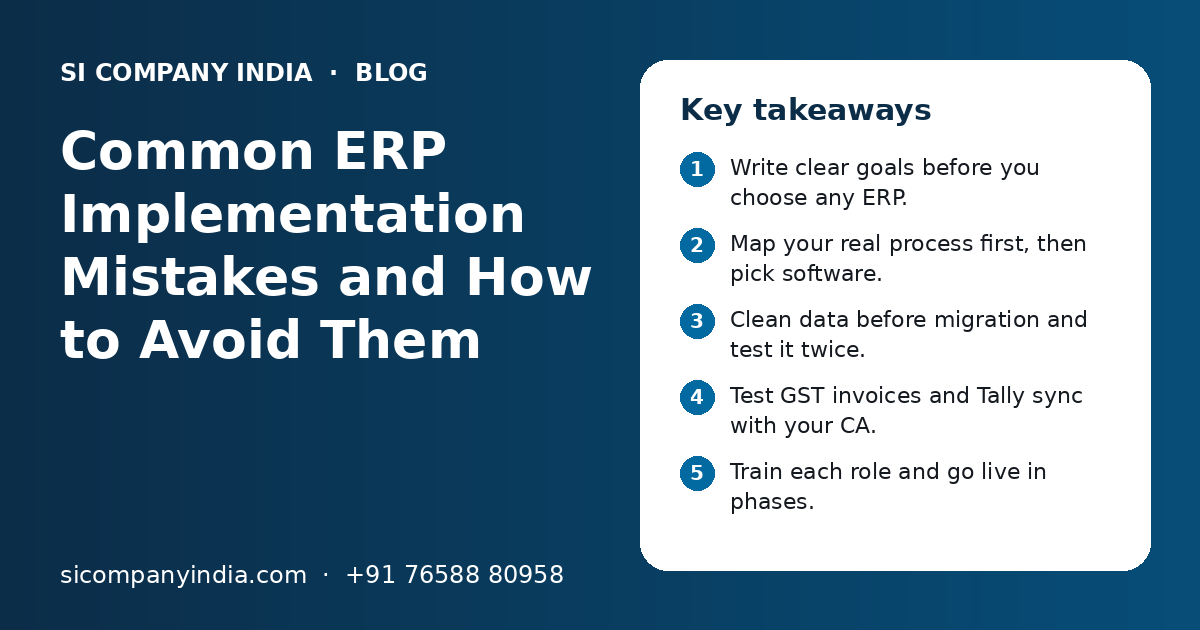
Key takeaways
- Write clear goals before you choose any ERP.
- Map your real process first, then pick software.
- Clean data before migration and test it twice.
- Test GST invoices and Tally sync with your CA.
- Train each role and go live in phases.
- Give the project one owner with real authority.
Why do ERP implementation mistakes happen so often?
ERP implementation mistakes happen because an ERP touches every team at once, so small gaps in planning, data or training add up quickly. Most problems are about people and process, not about the software itself.
In Indian SMEs, a few things make it harder. Many firms have used Tally and Excel for years. Staff are used to their own way of working. The owner is busy running the business. And GST rules mean invoices must be correct from the first day.
The good news is that the same mistakes repeat. If you know them, you can plan around them. Our page on ERP software development in India explains how a custom ERP is built.
Is starting without clear goals a big ERP mistake?
Yes. Starting without clear goals is one of the biggest ERP mistakes, because nobody can say what success looks like or which features matter most.
Many projects begin with a line like "we need an ERP". That is not a goal. A goal is a problem you want to fix, such as stock not matching between godowns, or month-end closing taking too long.
| Vague wish | Clear goal |
|---|---|
| Better stock control | Live stock for each godown, checked against physical count every month |
| Faster billing | GST invoice made from the sales order without typing again |
| Better reports | Owner sees daily sales, dues and stock on one screen |
| Less manual work | Purchase orders created from low-stock alerts |
| Control over branches | Each branch sees only its data, head office sees all |
Write five to eight clear goals and rank them. Use this list to judge every vendor demo and every change request. If a feature does not help a goal, it can wait for a later phase.
Why is choosing software before mapping your process a mistake?
It is a mistake because you end up bending your business to fit the software, or paying for heavy changes later. Map your real process first, then choose the ERP that fits it.
Sit with each team and write down how work actually happens today. Where does an order come from? Who approves a discount? When is stock reduced, at dispatch or at billing? How are job work and returns handled?
Questions to answer before choosing an ERP
- Which teams will use the ERP, and how many users in each?
- Do you work from one location or many branches and godowns?
- Do you need batch, serial number or expiry tracking?
- Do you make goods, trade them, or both?
- Will accounts stay in Tally, or move fully into the ERP?
- Which reports does the owner check every day?
Also look at what should change. Mapping often shows steps that exist only because of old paper habits. Fix those first. Our technology consulting team can help you map processes before you spend on software.
What data migration mistakes do SMEs make during ERP setup?
The main data migration mistakes are moving messy data as it is, moving too much old history and skipping test imports. Bad data on day one makes staff lose trust in the new ERP.
| Mistake | What goes wrong | Better way |
|---|---|---|
| Importing data without cleaning | Duplicate parties and items, wrong reports | Merge duplicates and fix codes first |
| Moving every old year | Slow import, more errors, longer project | Move open balances and recent history only |
| Wrong GSTIN or state codes | Wrong tax type on invoices | Check GSTIN and state for each party |
| No test import | Errors found after go-live | Run at least one full test import |
| Not matching totals | Opening stock and dues do not tie up | Match totals with Tally and physical count |
Pick a clear cut-off date, such as the start of a month or quarter. Bring in opening stock, open orders, party balances and pending bills as on that date. Keep older years in Tally or as archives for lookup.
What GST and Tally mistakes should you avoid in an ERP?
Avoid treating GST setup and Tally sync as small tasks to finish at the end. Test invoice formats, tax rules and the Tally link with your CA before go-live.
GST errors are costly to fix after invoices go to customers. Your ERP must pick the right HSN or SAC code, tax rate and tax type for each sale. It must handle inter-state and intra-state sales correctly, and support credit notes, debit notes and e-way bill details where needed.
GST and Tally checks before go-live
- Invoice format matches what your CA has approved.
- HSN or SAC code and tax rate are set for every item and service.
- Place of supply decides the correct tax type.
- Invoice number series is set for each branch and financial year.
- Credit notes, returns and discounts post correctly.
- Sales, purchase and receipts reach Tally without duplicates.
- Ledger names in the ERP match ledger names in Tally.
Many SMEs keep accounts in Tally and run operations in the ERP. That works well when the sync is planned. Decide which system is the master for each type of data, and test the sync with a full month of sample entries. Our pages on Tally integration services and GST billing software development cover this in more detail.
Need help with your project?
Talk to the SI Company India team. Free first call, simple advice, clear quote.
What goes wrong with multi-branch ERP setup?
Multi-branch ERP setups often go wrong when branches follow different rules, stock transfers are not set up properly, or everyone gets access to all branch data.
If you have more than one shop, godown, plant or office, plan the branch structure early. Each branch may have its own GSTIN if it is in a different state. Stock moving between branches needs proper transfer entries, not just a manual change in numbers.
- Agree on one item list and one party list for all branches.
- Set clear rules for stock transfers between branches and godowns.
- Give branch staff access only to their own branch data.
- Let head office see combined and branch-wise reports.
- Plan for weak internet at some locations, with a cloud ERP that works on low bandwidth.
- Start with one branch as a pilot before you add the rest.
A cloud ERP makes multi-branch work much easier, since every location uses the same live data. Our cloud migration page explains how to move from desktop systems to the cloud safely.
Why is poor staff training an ERP implementation mistake?
Poor training is a major ERP implementation mistake because staff who do not understand the new system go back to Excel, paper or WhatsApp. Then the ERP holds half the data and nobody trusts its reports.
One long training session for everyone does not work. A store keeper, a sales person and an accountant need very different screens. People also forget what they learn if they do not use it soon.
A simple ERP training plan
- Train by role, in small groups, close to the go-live date.
- Use your own real items and parties in training, not sample data.
- Give short guides and screen recordings in Hindi or the local language staff prefer.
- Pick one key user in each team to answer daily questions.
- Hold a short follow-up session two weeks after go-live.
Also explain why the change is happening. When staff see that the ERP removes double entry and month-end stress, they adopt it faster.
Is going live with everything at once a mistake?
Yes, for most SMEs. A big-bang go-live with every module and branch on one day puts too much load on the team. A phased go-live is safer and easier to fix.
Phased go-live
- Team learns one area at a time
- Problems stay small and easy to fix
- Early wins build trust in the ERP
- Lessons from phase one improve phase two
Big-bang go-live
- All teams change on the same day
- One error can stop billing and dispatch
- Support team is stretched thin
- Hard to find the cause of problems
A common order is sales and billing first, then stock and purchase, then production or service, and then advanced reports. Avoid going live in the busiest season, at the end of a financial year or during a major festival sale.
How do you avoid ERP implementation mistakes, step by step?
Follow a clear, phased plan with one owner, written goals, clean data, tested integrations and role-based training. Here is a simple order that works for most SMEs.
- 1
Name a project owner
Choose one senior person who can take decisions and has time each week for the project.
- 2
Write and rank goals
List the problems the ERP must fix and put them in order.
- 3
Map current processes
Record how each team works today and what should change.
- 4
Choose the ERP
Judge ready-made and custom options against your goals and process map.
- 5
Clean and test data
Fix duplicates and codes, set a cut-off date and run test imports.
- 6
Set up GST and Tally
Configure tax rules and invoice formats, then test the Tally sync with your CA.
- 7
Train by role
Give short, hands-on sessions with real data close to go-live.
- 8
Go live in phases
Start with one area or branch, fix issues, then add the next.
- 9
Review and support
Check reports, gather feedback and plan regular updates after launch.
What affects ERP implementation time and cost?
ERP time and cost depend on the number of modules, users and branches, how clean your data is, the integrations you need and whether the ERP is ready-made or custom. You get a clear quote after a free call.
| Factor | Why it matters |
|---|---|
| Modules needed | Each module needs setup, testing and training |
| Users and branches | More roles, access rules and transfer flows |
| Data quality | Messy data adds cleaning and checking time |
| Integrations | Tally, payment gateways, WhatsApp or e-commerce links add work |
| Custom features | Special workflows or reports take longer to build |
| Industry needs | Manufacturing, batch tracking or logistics add depth |
For industry needs, see manufacturing software and business automation. SI Company India is powered by Shivah Web Tech, with 11+ years of experience, a 25+ member in-house team and 500+ projects. We work with businesses across India fully online. Contact us to plan your ERP the right way.
Frequently Asked Questions
Why do most ERP projects fail in small businesses?
Most ERP projects in small businesses struggle because of unclear goals, messy data, weak training and no single project owner. The software is rarely the main problem. When staff do not trust the data or find screens confusing, they go back to Excel and paper, and the ERP is slowly dropped.
How long does ERP implementation take for an SME in India?
It depends on the modules, number of users and branches, data quality and integrations like Tally. A simple setup with one or two modules can be quick. A full ERP across sales, stock, purchase, production and accounts takes longer and is best done in phases, with a test run before each go-live.
Can I keep using Tally after I start an ERP?
Yes. Many Indian SMEs keep accounts in Tally and run sales, stock and production in the ERP. The two systems are linked so that invoices, purchases and receipts flow into Tally. Decide which system is the master for each type of data and test the sync with your CA before go-live.
How much old data should I move into a new ERP?
Usually you only need opening balances, open orders, pending bills, current stock and active customers and suppliers as on a cut-off date. Some businesses also bring one or two recent years for reports. Older years can stay in Tally or be kept as archives for lookup.
Should we go live with all ERP modules at once?
For most SMEs, no. A phased go-live is safer. Start with one area, such as sales and billing, or with one branch. Fix problems, train staff and then add the next module. Avoid going live during your busiest season or at the end of the financial year.
How do I get staff to use the new ERP?
Train each role on only the screens they need, using real data. Share short guides and videos in the language staff prefer. Pick one key user in each team for daily help. Stop new entries in old sheets after go-live, and make sure managers use ERP reports in meetings.
Is a custom ERP or a ready-made ERP better for an Indian SME?
A ready-made ERP suits common processes and quick starts. A custom ERP suits special workflows, many branches, unusual reports or deep links with Tally and other tools. Many SMEs compare both against their written goals and process map before deciding. The best choice is the one that fits how you work.
Who should own the ERP project inside the company?
One senior person who knows the business well and can take decisions should own the project. This person sets priorities, approves changes, gets teams to give time for testing and training, and works closely with the vendor. Without one owner, decisions get delayed and the project drifts.