Quick answer
What software does a textile or garment business in India need?
Software for textile and garment businesses in India should track fabric and yarn by lot, job work sent to outside units, production stages, size and colour wise stock, karigar wages, GST billing and customer dues. It replaces registers and WhatsApp follow-ups with one system, so owners know where every metre of fabric and every order stands.
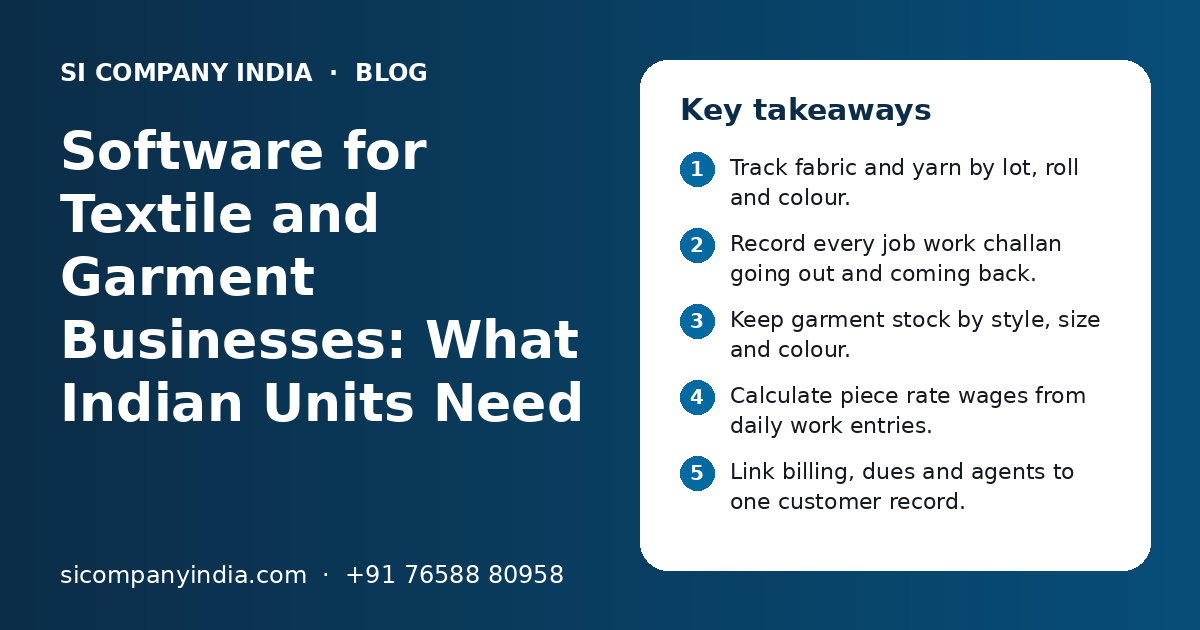
Key takeaways
- Track fabric and yarn by lot, roll and colour.
- Record every job work challan going out and coming back.
- Keep garment stock by style, size and colour.
- Calculate piece rate wages from daily work entries.
- Link billing, dues and agents to one customer record.
- Start with stock and job work, then add the rest.
Why do textile and garment businesses need software?
Textile and garment businesses need software because material keeps moving between units, and small losses at each step add up. Software shows where every lot and every order is at any time.
A typical flow has many steps. Yarn becomes grey fabric. Grey fabric goes for dyeing or printing. Finished fabric goes for cutting, stitching, embroidery, washing, finishing and packing. Many of these steps happen at outside job workers, not in your own unit.
With paper challans and phone calls, owners often face the same questions every day. How much fabric is with the dyer? Which order is late? Why is the stock count short? Who still owes payment? Software for textile and garment businesses in India answers these questions from one screen.
Who this guide is for
- Small weaving and processing units
- Fabric wholesalers and traders
- Garment manufacturers and stitching units
- Apparel brands that use outside job workers
- Exporters that handle samples and buyer orders
- Hosiery and knitwear makers
Which modules does textile and garment software need?
Most textile and garment businesses need modules for purchase, stock, job work, production, sales, billing and wages. Not every business needs all of them on day one.
| Module | What it tracks | Most useful for |
|---|---|---|
| Purchase | Yarn, fabric, trims, buttons, labels and packing items | Mills, garment makers |
| Lot and roll stock | Fabric by lot, roll, shade, width, metres or kg | Traders, processors, garment makers |
| Job work | Material sent out, received back, wastage and job charges | Anyone using outside dyers, printers or stitchers |
| Production | Cutting, stitching, finishing and packing stages | Garment makers |
| Finished stock | Garments by style, size and colour | Garment makers, brands, wholesalers |
| Sales and billing | Orders, GST bills, dispatch and dues | Every textile business |
| Wages | Piece rate or daily wages for workers and karigars | Units with many workers |
| Reports | Stock, pending job work, late orders and dues | Owners and managers |
A trader may only need stock, billing and dues. A garment maker using many job workers needs job work and production first. Our manufacturing software page explains factory modules in more detail.
How should fabric and yarn stock be tracked?
Track fabric and yarn by lot, with roll-wise details where needed. A single stock number for each quality is not enough, because shade and width can differ between lots.
Textile items also use more than one unit. Yarn is often bought in kg. Fabric may be bought in kg and sold in metres. Garments are counted in pieces. The software must handle these units and convert them where needed.
- Give each quality a code with width, GSM or count, as your trade uses
- Record lot number and shade for every fabric receipt
- Add roll-wise metres if you cut or sell by roll
- Allow more than one unit, such as kg, metres and pieces
- Print barcode or QR labels for rolls and cartons
- Count stock on a schedule and record the reason for any difference
When lots are tracked well, you can send the same shade for a repeat order and find old stock before it becomes dead stock.
How does job work tracking work in textile software?
Job work tracking records every lot sent to an outside unit and every lot that comes back. The software shows what is still with each job worker and how much was lost on the way.
This is often the biggest gap in a textile business. Fabric sent for dyeing comes back shorter. Cut pieces sent for stitching return in parts. Without clear records, nobody can say what was lost and what is still pending.
- 1
Create an outward challan
Select the job worker, the lot, the quantity and the process, such as dyeing, printing, embroidery or stitching.
- 2
Share the challan
Send a copy to the job worker on WhatsApp or print it to go with the material.
- 3
Record what comes back
Enter the received quantity against the same challan, in part or in full.
- 4
Note wastage and rejects
The software shows the shortage and lets you record the reason and agreed allowance.
- 5
Book job charges
Job charges are calculated from the received quantity and the agreed rate.
- 6
Review pending material
A report shows what is with each job worker and for how long.
How do you manage garment stock by size and colour?
Manage garment stock with a size and colour matrix for each style. One style can have many sizes and colours, and each mix is a separate stock item.
For example, one shirt style in five sizes and four colours is twenty stock items. Typing each one by hand causes mistakes. Good software creates all variants at once and shows stock in a grid, so a salesperson can see at a glance what is available.
- Style master with fabric, trims and costing
- Size sets for each category, such as kids, men or women
- Colour list linked to fabric shades
- Barcode for each size and colour for faster packing and billing
- Set or ratio packs for wholesale buyers who buy fixed size mixes
- Online stock sync if you also sell on your own website or marketplaces
If you sell online, stock must stay the same across all channels. Our ecommerce technology team builds these links so you do not sell an item you no longer have.
Need help with your project?
Talk to the SI Company India team. Free first call, simple advice, clear quote.
How can software calculate karigar and worker wages?
Software calculates wages from daily work entries. For piece rate workers, it multiplies the pieces done by the agreed rate for each operation. For daily workers, it uses attendance.
Many garment units pay by operation, such as collar making, side seam or button work. A supervisor enters each worker's completed bundles. The software adds them up for the week or month and shows advances and deductions.
| Wage type | What is recorded | Common problem without software |
|---|---|---|
| Piece rate | Bundles or pieces done per operation | Disputes over counts at week end |
| Daily wage | Attendance and overtime | Manual counting from registers |
| Job worker charges | Received quantity and agreed rate | Paying for pieces not yet received |
| Advances | Amount given and recovery plan | Advances forgotten or recovered twice |
Statutory items such as PF and ESI need care. Your CA or HR adviser should confirm what applies. For attendance, leave and staff records, see our HRM software page.
How should billing, agents and dues be handled?
Billing should be made from the sales order or packing list, with GST applied by item. Agents and dues should be linked to each customer, so follow-ups and commission are clear.
Textile trade often runs on credit, with agents or brokers between seller and buyer. The software should show each customer's bills, payments, credit days and the agent linked to the sale.
- GST bills with HSN codes set up as your CA advises
- E-way bill and e-invoice data where they apply to you
- Packing list and transport details on each dispatch
- Credit days and limits for each customer
- Agent or broker commission linked to each bill
- Payment reminders on WhatsApp with the pending bill list
Our GST billing software team builds billing flows like these. If your accountant uses Tally, Tally integration sends bills and payments there, so nothing is typed twice. Automatic reminders can be sent through WhatsApp Business API integration.
Ready-made textile ERP or custom software: which is better?
Ready-made textile ERP suits businesses with a standard process. Custom software suits businesses with their own job work flow, special costing or several units that must work as one.
Ready-made textile ERP
- Quick to start
- Lower upfront effort
- Vendor handles updates
- Common textile reports built in
Custom textile software
- Fits your exact process and terms
- Joins units, job workers and sales in one place
- Mobile screens for supervisors and job workers
- Needs more time to plan, build and test
Some businesses keep their accounting software and add a custom layer for job work, production and reports. Our ERP development page explains how we plan custom ERP. For supervisors on the floor, a simple mobile app often works better than a desktop screen.
How do you start, and what affects the cost?
Start with the area that causes the most loss, often stock or job work, then add other modules. Cost depends on modules, units, users and links to other tools.
- Map your full flow, from yarn or fabric purchase to dispatch.
- List every job worker, process and agreed rate.
- Clean your item, customer and supplier lists.
- Start with lot stock and job work challans for new material.
- Train supervisors and store staff with short sessions.
- Add production, wages, billing links and reports in phases.
What affects the cost
- Ready-made, custom or a mix of both
- Number of modules, units and users
- Mobile app for supervisors or job workers
- Links to Tally, WhatsApp, e-commerce or payment tools
- Amount of old data to clean and move
- Hosting, backups and ongoing support
We do not share fixed prices here. You get a clear quote after a free call. Our guide to software development cost in India explains the main cost drivers in more detail.
What mistakes should textile and garment businesses avoid?
The common mistakes are tracking stock without lots, letting material go out without a challan and starting everything at once in the busy season.
- Keeping one stock figure per quality instead of lot-wise stock
- Sending material to job workers without a recorded challan
- Not agreeing on wastage allowance with each job worker
- Creating sizes and colours by hand instead of a variant grid
- Going live just before a festive or wedding season rush
- Giving every user rights to edit bills and stock
- Having no support plan after launch
SI Company India is powered by Shivah Web Tech, with 11+ years of experience, a 25+ member in-house team and 500+ projects. We work fully online with businesses across India, Monday to Friday, 9:30 to 6:30 IST, with 24x7 help for urgent issues. Contact us to talk about your unit.
Frequently Asked Questions
What is the best software for a small garment manufacturing unit?
The right software depends on how your unit works. A small unit usually needs stock by style, size and colour, job work tracking, simple production stages, piece rate wages and GST billing. If you use many outside job workers, choose a system with strong challan tracking. Test it with your real orders before you decide.
Can textile software track fabric sent to dyers and printers?
Yes. Job work tracking records each lot sent to a dyer, printer or embroiderer with an outward challan. When the material comes back, you enter the received quantity against the same challan. The software shows pending material with each job worker, shortage and wastage, and the job charges due for the work done.
Can the software handle fabric in metres and kg?
Yes, if it supports more than one unit per item. Many textile businesses buy fabric by weight and sell it by length, or the other way round. The software can store both and use a conversion based on width and GSM, or record both values at receipt, so stock stays correct in each unit.
Is custom software worth it for a fabric trader?
For a small trader with simple buying and selling, a ready-made billing and stock tool may be enough. Custom software becomes worth it when you track lots and shades, work with many agents, give credit to many buyers or run more than one godown. It can join all these in one place.
Can textile software connect with Tally?
Yes. Many textile businesses keep their accounts in Tally and use separate software for stock, job work and production. An integration can send bills, purchases and payments to Tally automatically. This means your accountant does not type entries again, and both systems show the same numbers.
How does piece rate wage calculation work in software?
Each operation, such as collar making or side seam, has a rate. Supervisors enter how many pieces or bundles each worker completed. At the end of the week or month, the software multiplies quantity by rate, adds any daily wages, subtracts advances and shows a clear wage sheet for each worker.
Can job workers or supervisors use the software on a phone?
Yes. A simple mobile app or web screen lets supervisors enter daily work and lets store staff record material in and out. Job workers can also get challans on WhatsApp. Screens should be simple, with large buttons and the local language where possible, so staff use it every day.
How long does it take to set up software for a textile business?
A ready-made tool with clean data can start in a short time. A custom system takes longer, because it must be planned, built and tested with your team. Cleaning item lists and training supervisors often take the most effort. Starting with stock and job work, then adding modules in phases, makes it easier.