Quick answer
Can business software work without internet?
Yes. Offline-first business software saves your work on the phone, tablet or computer first, so staff can bill, take orders or scan stock with no internet. When the connection comes back, the app syncs the saved data with the main server in the cloud. Good design handles conflicts, keeps data safe and shows what is still waiting to sync.
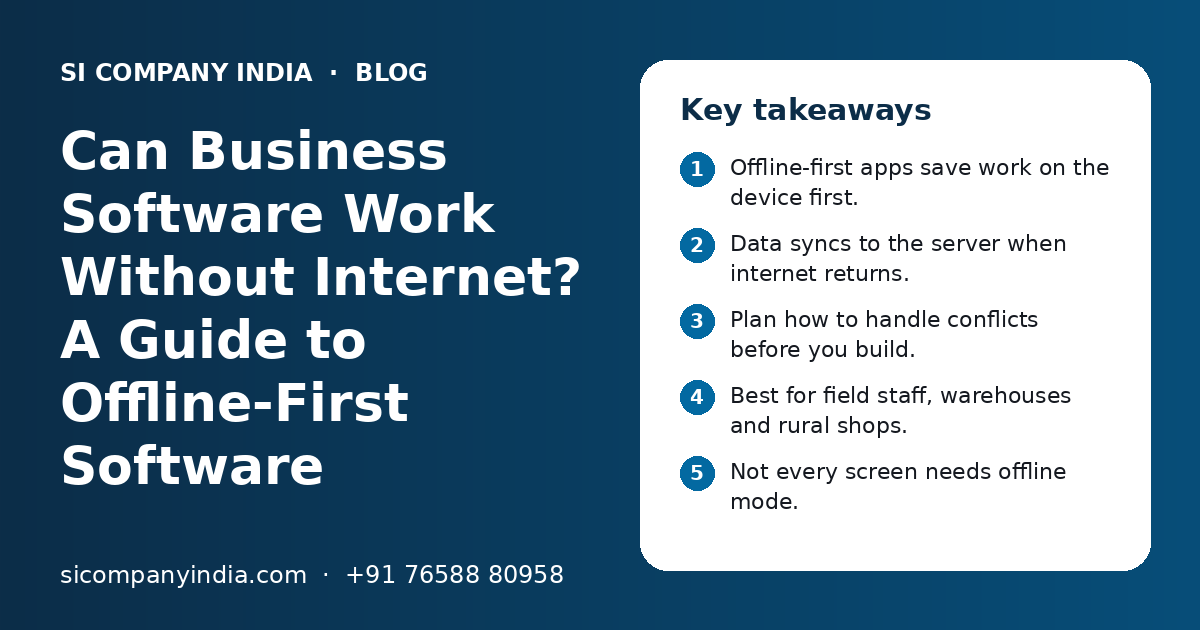
Key takeaways
- Offline-first apps save work on the device first.
- Data syncs to the server when internet returns.
- Plan how to handle conflicts before you build.
- Best for field staff, warehouses and rural shops.
- Not every screen needs offline mode.
- Show staff clearly what has not synced yet.
What is offline-first business software?
Offline-first business software is software that works fully on the device even with no internet, and sends data to the main server when a connection is available. The user does not have to wait for the network to do their job.
Most web apps work the other way. They need the server for every click. If the internet drops, the screen freezes or shows an error. An offline-first app keeps working and catches up later.
This is different from old desktop software that never connects to anything. Offline-first software still has a central cloud server, reports and many users. It simply does not depend on a live connection every second. Our guide on cloud vs desktop software explains the wider choice.
How does offline sync actually work?
The app keeps a small local database on the device. Every new bill, order or scan is saved there and added to a queue. When the internet returns, the app sends the queue to the server and pulls down any updates.
- 1
Download the needed data
When online, the device downloads what the user needs, such as items, rates, customers and their own tasks. It does not need the whole database.
- 2
Work offline
The user creates bills, orders, visit notes or stock scans. Each record is saved on the device with a unique ID and a time stamp.
- 3
Queue the changes
Every change is added to an outbox list, waiting to be sent.
- 4
Detect the connection
The app checks for internet in the background. It can also sync when the user taps a sync button.
- 5
Send and confirm
Changes go to the server in order. The server confirms each one, and the app marks it as synced.
- 6
Pull updates
The app downloads new rates, new customers or changes made by others, so the device stays current.
- 7
Handle conflicts
If two people changed the same record, the app follows a set rule to decide which change wins or asks a person to choose.
The user should always see a simple status, such as "12 records waiting to sync" or "All synced". This builds trust and helps staff know when to find a signal.
What happens when two people change the same record?
This is called a sync conflict. The software needs a clear rule for it, decided before development starts, so data does not get lost or mixed up.
Conflicts are rare when each person works on their own records. They happen more with shared data, such as stock levels or a customer's address.
| Conflict rule | How it works | Good for |
|---|---|---|
| Last change wins | The newest change by time stamp replaces older ones | Simple fields like a phone number |
| Field-level merge | Changes to different fields are combined | Customer or product records |
| Add, never overwrite | Each action is a new entry, such as stock in or stock out, and totals are worked out on the server | Stock, payments, attendance |
| Server decides | The server checks business rules, such as credit limit, before it accepts | Orders and discounts |
| Ask a person | The conflict is shown to a manager to pick the right value | Rare but important changes |
Numbering bills and orders offline
Bill numbers need care. If two devices are offline, they cannot ask the server for the next number. A common answer is a separate series for each device or counter, with its own prefix. GST rules allow more than one invoice series, but check the exact format with your accountant. E-invoice and e-way bill steps need the government portal, so they finish when the device is back online.
Which business work really needs offline mode?
Offline mode is needed for work that happens where the internet is weak and cannot wait, such as billing at a counter, order booking on a route or stock scanning in a warehouse. Office work such as reports and admin can stay online-only.
| Work | Offline needed? | Reason |
|---|---|---|
| Counter billing in a small town shop | Yes | A customer cannot wait for the signal |
| Order booking by sales reps on routes | Yes | Villages and highways often have weak coverage |
| Delivery proof and cash collection | Yes | Drivers work in many places in a day |
| Warehouse picking and scanning | Often | Metal racks and thick walls can block the signal |
| Field service and site visit reports | Often | Basements, factories and farms may have no network |
| Owner dashboards and reports | No | Can wait for the internet |
| Admin settings and user setup | No | Done rarely, usually from the office |
Building offline mode for every screen adds cost and testing. It is smarter to pick the few screens that must work anywhere and keep the rest online. This is one of the first things we discuss when planning mobile app development for field teams.
Need help with your project?
Talk to the SI Company India team. Free first call, simple advice, clear quote.
How does offline-first software help field staff, warehouses and rural shops?
It lets work continue at the moment it happens, instead of being written on paper and typed later. This means fewer errors and faster data for the office.
Field sales and delivery staff
A sales rep can see the customer list, rates and past orders on the phone, book an order and capture a photo or signature, all without signal. The order reaches the office as soon as the phone connects. Our work on logistics software uses the same idea for delivery proof and cash collection.
Warehouses and godowns
Staff can scan barcodes for receiving, picking and dispatch even in dead zones. Each scan is saved as a stock movement and synced later. Many warehouses also add a local Wi-Fi network to make syncing faster.
Rural and small town shops
A shop can keep billing during a network outage. Bills print or go to the customer later on WhatsApp. When the internet returns, sales and stock update in the cloud, so the owner sees them from anywhere. This pairs well with GST billing software development built for local needs.
What are the pros and cons of offline-first software?
The main benefit is that work never stops for the internet. The main cost is extra planning, testing and development effort, mostly for sync and conflicts.
Pros
- Staff keep working during network drops
- Screens open fast because data is on the device
- Less paper and less retyping later
- Good for remote areas, basements and routes
- The office still gets central data and reports
Cons
- More complex to build and test than an online-only app
- Sync conflicts need clear rules
- Data on the device needs protection if the phone is lost
- Stock or credit checks may use slightly old data
- Some steps, like e-invoice or payment confirmation, still need internet
For most Indian businesses with field or branch work, the benefits are worth it for a few key screens. For a pure office team with good internet, a normal web application is often enough.
Is data safe in an offline-first app?
Yes, if it is built well. Data on the device should be encrypted, the app should need a login or PIN, and the office should be able to log out a lost device.
- Store local data in encrypted form on the device.
- Ask for a PIN, password or fingerprint to open the app.
- Download only the data each user needs, not the full database.
- Let admins block a lost or stolen device remotely.
- Warn the user when unsynced data is old, so it is not lost if the phone breaks.
- Keep a full log on the server of who changed what and when.
The server side follows the same rules as any secure cloud solution, with backups, access control and regular updates.
What affects the cost of building offline-first software?
Cost depends mainly on how many screens need offline mode, how complex the conflict rules are and how many devices and users will sync. We do not publish fixed prices; you get a clear quote after a free call.
- Number of screens and features that must work offline
- Type of app: Android, iPhone, web app with offline support, or desktop
- Amount of data each device must keep
- Conflict rules for shared data such as stock
- Invoice numbering and GST needs
- Links with ERP, Tally, CRM or payment systems
- Barcode scanners, printers or other hardware
- Testing on low-end phones and weak networks
- Support and updates after launch
If you already have software that only works online, offline mode can often be added to key screens. It is still a real piece of work, so plan it with care. Our software development team can review your current system first.
What questions should you ask before building offline-first software?
Ask questions that make the vendor explain how sync, conflicts, security and testing will work. Clear answers show they have done this before.
- Which screens will work offline, and which will not?
- How long can a device stay offline before there is a problem?
- What is the conflict rule for each type of shared data?
- How will bill and order numbers be created offline?
- How will staff see what is not yet synced?
- What happens if a phone is lost with unsynced data?
- Will you test on low-cost Android phones and weak networks?
- How will updates reach devices that rarely connect?
SI Company India, powered by Shivah Web Tech, builds web and mobile software for businesses across India, fully online. We have 11+ years of experience and a 25+ person in-house team. Contact us to book a free call about your offline needs.
Frequently Asked Questions
Can a mobile app work without internet?
Yes. A mobile app can work without internet if it is built offline-first. It stores the data it needs on the phone and saves new work there too. When the phone gets a signal, the app syncs with the server. Apps that are not built this way will show errors or freeze when the internet drops, so ask about offline mode before development starts.
What is the difference between offline mode and desktop software?
Desktop software usually runs on one computer and keeps data only there. Offline-first software keeps a copy of the needed data on each device but also syncs with a central cloud server. So you get offline working plus shared data, many users and reports from anywhere. Desktop software gives offline working but makes sharing and remote access harder.
How long can offline-first software stay without internet?
It depends on how it is built and on the type of work. Many apps can run offline for hours or days. The longer a device stays offline, the older its rates and stock data become, and the higher the chance of conflicts. A good app shows a warning after a set time and asks the user to sync when possible.
Can billing software work offline in India?
Yes. Billing software can be built to create bills offline and sync them later. Each device or counter can use its own invoice series so numbers do not clash. Steps that need government portals, such as e-invoice and e-way bill generation, finish when the device is back online. Check your invoice format and series with your accountant before you go live.
Will offline-first software lose data if the phone breaks?
Data that has already synced is safe on the server. Data that has not synced yet is only on the phone, so it can be lost if the phone breaks before it connects. Good apps reduce this risk by syncing often in the background, showing how many records are waiting, and warning the user when unsynced data gets old.
Is offline-first software more expensive to build?
Usually yes, because sync, conflict handling and testing on weak networks take extra work. The cost can be kept in control by adding offline mode only to the screens that truly need it, such as billing, order booking or stock scanning. Reports and admin screens can stay online-only. You get a clear quote after a free call.
Can a web app work offline, or do I need a mobile app?
A web app can work offline using browser features that store data and pages on the device, often called a progressive web app. This suits many simple cases. A native mobile app gives more control over storage, camera, barcode scanning and background sync. The right choice depends on your devices, the work and how long staff stay offline.