Quick answer
What should software for solar EPC companies in India do?
Software for solar EPC companies in India should track every lead, record site surveys from a phone, build quotes from your own rates, move each project through clear stages, track panels, inverters and other material, plan install teams, follow paperwork with the power company, and handle AMC and service tickets, with WhatsApp updates for customers.
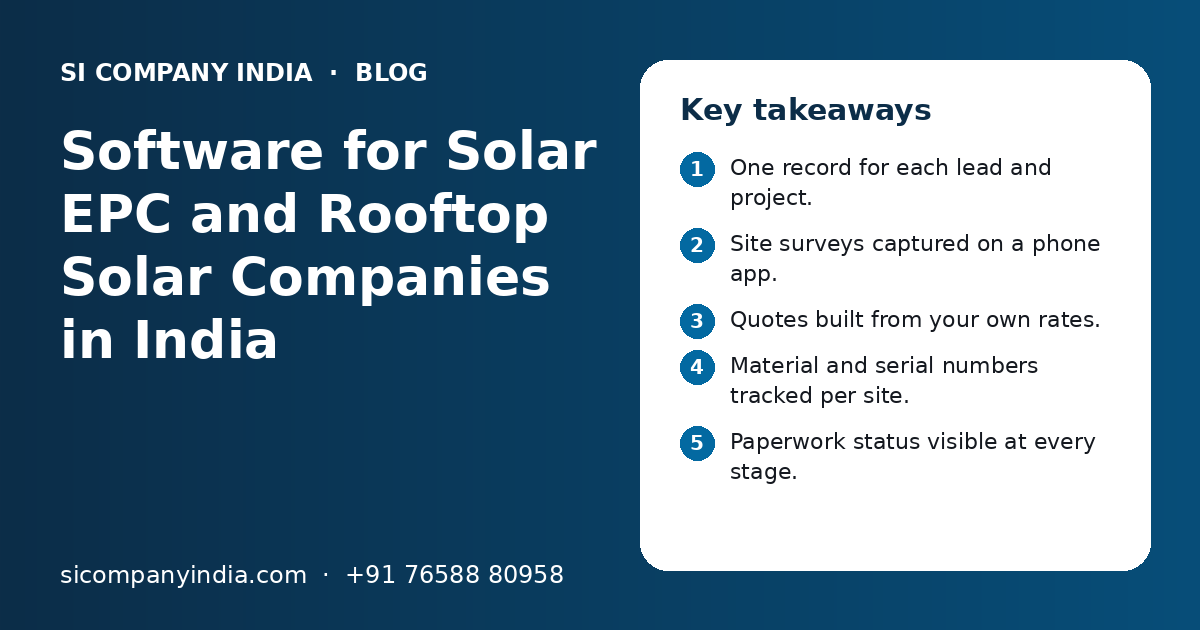
Key takeaways
- One record for each lead and project.
- Site surveys captured on a phone app.
- Quotes built from your own rates.
- Material and serial numbers tracked per site.
- Paperwork status visible at every stage.
- AMC and service tickets after handover.
Why do solar EPC companies need business software?
Solar EPC companies need software because each project passes through many hands and many weeks, from first call to final handover and service. Software for solar EPC companies in India keeps every detail in one record, so nothing depends on one person's memory or phone.
Most rooftop and small commercial solar firms face the same daily problems:
- Leads come from calls, ads, dealers and referrals, and some are never followed up.
- Site survey notes and roof photos sit on a surveyor's phone.
- Quotes are made in Excel and versions get mixed up.
- Nobody is sure which project is waiting on material, the install team or paperwork.
- Panels and inverters are issued to sites without clear records.
- Customers call again and again to ask for status.
- Service calls after installation are handled on WhatsApp with no history.
Good software fixes these as one connected flow. It is not only a CRM and not only a stock tool. It joins sales, projects, store, field teams and service. Our CRM for Indian businesses page explains the sales side in more detail.
How should a solar company track leads and site surveys?
Track every lead in a CRM with its source, roof type, rough load and next follow-up date, then book the site survey from the same record. The surveyor fills a mobile form on site, and the data flows straight back to sales.
What a solar site survey form should capture
- Customer name, address, phone and location pin
- Type of connection and recent electricity bill details
- Roof type, such as RCC, metal sheet or tiled
- Usable roof area and shadow from nearby buildings or trees
- Roof photos from fixed angles, with direction
- Distance from roof to meter and inverter location
- Earthing point and cable route
- Customer preferences and any special notes
A phone app works better than paper here, because photos, location and notes are saved together. The app should also work with weak mobile data and sync later. Our mobile app development team builds field apps like this for Android and iPhone.
Leads from your website, ads and WhatsApp can enter the CRM on their own, so your team does not have to copy them by hand.
How can software make solar quotations faster?
Software makes solar quotes faster by storing your own rates for panels, inverters, structures, cables, protection gear and labour, then building the quote from the system size and site details. Staff pick options, and a clean PDF is ready in minutes.
- 1
Set up your item and rate masters
Add panel and inverter models, structure types, cables, earthing, protection boxes and labour rates.
- 2
Pick the system size and options
Use the survey data to choose capacity, panel model, inverter and structure height.
- 3
Let the system build the bill of material
It lists the items and quantities for that design from your own templates.
- 4
Add margin and GST
Apply your margin, then add GST as your CA advises for that kind of supply.
- 5
Share the quote
Send a branded PDF on WhatsApp or email, with your terms and payment stages.
- 6
Convert to a project
When the customer accepts, the quote becomes a project with the same bill of material.
Keep every quote version in the system. If the customer changes the panel brand or the capacity, you can see what changed and why. This avoids disputes later about what was promised.
What project stages should solar software track?
Solar software should move each project through fixed stages, from order to handover, with an owner and a target date for each stage. The owner then sees at a glance which projects are stuck and where.
| Stage | What happens | What the software records |
|---|---|---|
| Order confirmed | Customer accepts the quote and pays the first stage | Signed quote, payment receipt, project owner |
| Design | Final layout and bill of material | Drawings, final item list, approvals |
| Paperwork | Applications with the power company and other bodies where needed | Documents, submission dates, status, next action |
| Material dispatch | Items sent from store to site | Items, quantities, serial numbers, vehicle |
| Installation | Structure, panels, inverter, wiring and earthing | Team, dates, daily photos, checklist |
| Inspection and meter | Checks and meter work as per local process | Dates, remarks, documents |
| Handover | System explained to the customer | Handover form, warranty details, customer sign-off |
| Service | AMC visits and complaints | Tickets, visit reports, parts used |
Payment stages can be linked to project stages. When a stage is marked done, the system can remind accounts to raise the next bill. Our ERP software development page shows how projects, store and accounts can work in one system.
Need help with your project?
Talk to the SI Company India team. Free first call, simple advice, clear quote.
How do you track solar material and inventory?
Track solar material with a store module that records every item coming in, every item issued to a site and every return. For panels and inverters, record serial numbers against each project so warranty claims are easy later.
Solar material is costly, and small leaks add up. A few extra cable rolls or structure parts left at sites can hurt project margins without anyone noticing.
- Purchase orders and goods received against each supplier
- Stock by store or warehouse, with low-stock alerts
- Material issue to each project from its bill of material
- Serial numbers of panels and inverters linked to the customer
- Returns of unused items from site back to store
- Material cost per project compared with the quote
If you already use Tally or another accounts tool, the store module can share purchase and sales data with it, so entries are not made twice.
How can software manage installation teams?
Software manages installation teams by giving each team a daily job list on a phone app, with site address, material list, safety checklist and photo steps. Supervisors see progress from the office without calling every team.
What the install team app should do
- Show today's sites with map location and customer contact
- Show the material that should reach each site
- Run a safety checklist before roof work starts
- Ask for photos at fixed points: structure, panels, wiring, earthing, inverter
- Record time in and time out at the site
- Let the team raise a material shortage or issue
- Take the customer's sign-off at the end of the job
Fixed photo steps help with quality checks, customer disputes and paperwork that needs installation proof. Many solar firms also use outside installation contractors. The same app can give them limited access to only their own jobs.
How can software help with subsidy and net-metering paperwork?
Software helps by keeping a checklist of documents and a status for each application, so your team always knows what is pending, with whom and since when. It does not replace the official process or portal. It tracks your side of the work.
Rules and steps for net metering and subsidies differ by state, by power company and by scheme, and they can change. So the software should not hard-code one process. It should let you set up your own checklists for each state or power company you work with.
- A document checklist per application, such as ID proof, bill copy and photos
- Upload of each document against the customer record
- Submission date, reference number and current status
- Next action and the person responsible for it
- Reminders when an application has not moved for some days
- A report of all pending applications by stage
Always follow the latest official rules from your power company and the relevant government portal. The software simply keeps your team organised so customers are not left waiting because one form was missed.
How should a solar company handle AMC and service tickets?
Handle AMC and service with a ticket system linked to each installed system, so every complaint and visit is recorded with the customer, serial numbers and warranty details. This turns after-sales service into a planned job, not a stream of phone calls.
With a service module
- Every complaint gets a ticket number
- AMC visits are planned in advance
- Technicians see the full system history
- Warranty claims have serial numbers ready
- Customers get status updates automatically
Without one
- Complaints get lost in calls and chats
- AMC visits are missed or done late
- Technicians arrive without past details
- Warranty claims take longer to file
- Customers keep calling for updates
Customers can raise a complaint through a WhatsApp message or a simple form. Through WhatsApp Business API integration, the system can send ticket numbers, visit dates and closing messages on the channel customers already use.
How should a solar company start, and what affects cost?
Start with the part that hurts most, which is usually leads and project stages, then add surveys, store, install app and service in phases. Cost depends on modules, users, apps and integrations, so you get a clear quote after a free call.
- List your current process from lead to service on one page.
- Pick the first module, such as CRM with project stages.
- Clean your lead and customer lists before import.
- Add the site survey and install team app next.
- Add store, serial numbers and service tickets after that.
Cost depends on the number of users, the modules, whether you need phone apps, links with Tally, WhatsApp or payment tools, and how much old data must move. Our business automation team can also set up reminders and approvals across these steps.
SI Company India is powered by Shivah Web Tech, with 11+ years of experience, a 25+ member in-house team and 500+ projects, and we work with businesses across India fully online. Contact us for a free call about your solar business.
Frequently Asked Questions
Is a CRM enough for a solar installation company?
A CRM is a good start, because it tracks leads, follow-ups and quotes. But a solar company also needs project stages, material, install teams, paperwork status and after-sales service. Many firms begin with a CRM and add these modules over time, so that one record follows each customer from the first call to the last service visit.
Can solar software work on a mobile phone at the site?
Yes. Surveyors and install teams can use a phone app to fill forms, take photos, scan serial numbers and record customer sign-off. A good app saves data even when mobile signal is weak and syncs when the network returns. The office team then sees updates without calling the field staff.
Can the software send WhatsApp updates to solar customers?
Yes. Using the WhatsApp Business API, the software can send quote links, project stage updates, visit dates, payment reminders and service ticket numbers. Messages go out automatically when a stage changes. This cuts the number of status calls your office gets and keeps customers informed on an app they already use.
Will the software file subsidy or net-metering applications for us?
No. The software tracks your side of the work. It keeps document checklists, submission dates, reference numbers and status for each application, and reminds your team about pending items. The applications themselves still follow the official process of your power company and the relevant government portal, which can differ by state.
Should a solar company buy ready-made software or build custom software?
Ready-made tools suit firms that can follow a standard process and need to start fast. Custom software suits firms with their own stages, many teams, several states or special reports. A middle path is to keep your accounts tool and build a custom layer for projects, field teams and service, joined through APIs.
Can solar software connect with Tally?
Yes, in most cases. Purchase entries, sales invoices and customer details can be shared between the solar software and Tally, so your accounts team does not type the same data twice. The exact method depends on your Tally setup and version, which is checked during planning.
How long does it take to set up software for a solar company?
It depends on the modules and how clean your current data is. A first phase with leads and project stages can go live sooner than a full system with store, apps and service. Starting in phases lets your team learn one part at a time, while daily work continues without a break.