Quick answer
What are the main customer portal development cost factors for an Indian business?
The main customer portal development cost factors are the number of features, login and user roles, integrations with Tally, ERP or CRM, UPI payments, WhatsApp and SMS alerts, data import, design, mobile app needs, security, hosting and yearly support. A focused first version costs less. You get a clear quote after a free call.
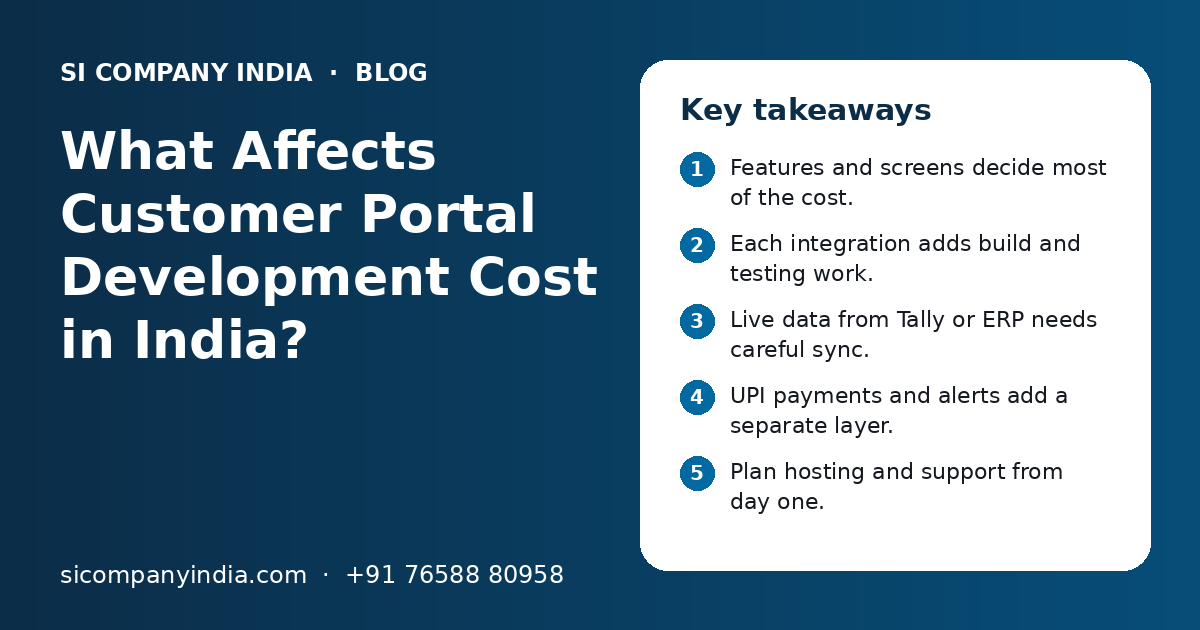
Key takeaways
- Features and screens decide most of the cost.
- Each integration adds build and testing work.
- Live data from Tally or ERP needs careful sync.
- UPI payments and alerts add a separate layer.
- Plan hosting and support from day one.
- Start small and add features in phases.
What is a customer portal, and why do cost quotes differ?
A customer portal is a secure online area where your customers log in to see their own orders, invoices, dues, documents and requests. Quotes differ because each vendor assumes a different scope, even when the request sounds the same.
One owner may ask for "a portal where customers see invoices". One vendor quotes a simple login with a list of PDF invoices. Another quotes live order tracking, dues from Tally, UPI payments, complaint tickets, WhatsApp alerts and a branch-wise admin panel. Both are "a customer portal". The work is very different.
So before you ask for a price, write down what the portal must do in its first version. If you are new to web-based tools, our web application development page explains how portals and other web apps are built.
How do features and screens change customer portal cost?
Features are the biggest of the customer portal development cost factors. Every feature needs screens, rules, testing and admin controls, so more features mean more work.
| Feature | What customers can do | Effect on effort |
|---|---|---|
| Profile and login | Sign in, update contact and GST details | Core work, needed by everyone |
| Orders and order status | See past orders and current status | Low to medium, more with live tracking |
| Invoices and statements | Download GST invoices and account statements | Low to medium, depends on data source |
| Dues and payments | See outstanding amount and pay online | Medium, needs payment gateway work |
| New orders or re-orders | Place orders from a product list | Medium to high, needs price and stock rules |
| Support tickets | Raise complaints, track replies | Medium |
| Documents | Download warranty cards, reports, certificates | Low to medium |
| Service bookings | Book visits or AMC service slots | Medium to high |
Business rules add hidden work
A plain list of invoices is quick to build. A rule like "show special prices for this customer group, block new orders if dues cross the credit limit, and alert the sales person" takes more effort. Such rules are often worth it, but count them when you compare quotes.
Industry needs also add work. A hospital patient portal, a school parent portal and a B2B distributor portal each need different screens. Our industries page shows the sectors we build for.
Do login type and user roles affect the cost?
Yes. A single login per customer is simple. Many users per customer company, each with different rights, needs a full permission system and adds work.
Most Indian customers prefer OTP login on mobile over remembering passwords. OTP login needs an SMS or WhatsApp provider, which has its own usage charges.
- Simple: one login per customer, sees only own data.
- Medium: a customer company has a buyer, an accounts person and a manager, each seeing different screens.
- Higher: customers with many branches, each branch seeing only its own orders, and head office seeing all.
- Admin side: your own staff also need roles, such as sales, accounts and support, each with limits.
How much do integrations add to customer portal cost?
Integrations are often the second largest cost factor. A portal is only useful when it shows correct, current data, and that data usually lives in Tally, an ERP, a CRM or a billing system.
| Integration | Why businesses want it | What adds work |
|---|---|---|
| Tally | Show invoices, ledgers and dues | Data mapping, sync timing, matching customer codes |
| ERP or billing software | Show orders, stock and dispatch status | Depends on whether the system has an API |
| CRM | Link portal requests to sales staff | Field mapping, two-way updates |
| UPI and payment gateway | Collect dues and order payments | Payment status, failed payments, refunds, receipts |
| WhatsApp and SMS | Send OTPs, order alerts and reminders | Template approval, message logs, opt-in |
| Send invoices and statements | Usually simple |
One-way sync (data only flows into the portal) is simpler than two-way sync (portal changes also go back to Tally or the ERP). Sync timing also matters. Live data costs more effort than an update every few hours. Our Tally integration services and API integration pages explain how these links are planned and tested.
For payments, see our UPI payment integration page. For alerts, see WhatsApp Business API integration.
Why does data import change the quote?
Clean data is quick to load. Messy data spread across Excel files, Tally and old systems needs cleaning first, and that takes time.
Before launch, every customer needs a correct record: name, mobile number, GST number, branch and customer code. Old invoices and orders may also need to be loaded so customers see their history from day one.
- List where customer data lives today: Tally, Excel, CRM, phone contacts.
- Decide how many years of invoices and orders customers should see.
- Fix mobile numbers into one format, since OTP login depends on them.
- Match customer codes between Tally and other systems.
- Remove duplicate customers before import.
- Test import a small sample and check it with your accounts team.
Need help with your project?
Talk to the SI Company India team. Free first call, simple advice, clear quote.
Do design, mobile app and language needs raise the cost?
Yes. A clean, standard layout costs less than fully custom screens. A separate Android or iPhone app, and Indian language support, each add their own work.
Design
For most portals, simple and fast is better than fancy. Your brand colours and logo on a clean layout is enough for most businesses.
Mobile-friendly web portal or app
Mobile-friendly web portal
- One system to build and maintain
- Works on any phone and laptop
- No app store approval needed
- Lower start cost
Separate mobile app
- Extra build and testing for Android and iPhone
- Play Store and App Store updates
- Customers must download and update it
- Higher start and upkeep effort
Most customers will only open a portal now and then, to check an invoice or pay dues. For them, a mobile-friendly web portal opened from a WhatsApp link works well. A full app makes sense when customers order very often. Our mobile app development page explains when an app is worth it.
Indian languages
Showing the portal in Hindi, Tamil, Marathi or another language means translated labels and extra testing. Many businesses start in English and one regional language.
What do security, hosting and support add?
A customer portal holds private business data, so security is a must, not an extra. Hosting and yearly support are ongoing costs you should plan from the start.
Security
Every portal should have HTTPS, secure login, role-based access, activity logs and daily backups. Extra needs, such as two-step login for admins, IP limits or detailed audit trails, add some work.
Hosting
The portal runs on a cloud server. Cost depends on the number of customers, how often they log in, file storage for invoices and documents, and backup needs. Our cloud solutions page explains how we plan this.
Support after launch
Every portal needs small fixes, updates and new requests after go-live. Plan a yearly support plan that covers bug fixes, security updates and small changes.
Custom portal or ready-made tool: which fits your budget?
A ready-made tool suits simple needs and a quick start. A custom portal suits businesses that need their own rules, Tally or ERP data, and a portal that matches how they work.
| Point | Ready-made portal tool | Custom customer portal |
|---|---|---|
| Start cost | Lower | Higher |
| Ongoing fee | Monthly, often per user or customer | Hosting and support, usually no per-user fee |
| Fit with your process | You adjust to the tool | Built around your rules |
| Tally or ERP data | Limited or through add-ons | Built to match your systems |
| Ownership | Data on the vendor's platform | You can own the code and data |
Compare the total cost over a few years, not just the first month. Our software development cost page explains how to compare these options fairly.
How can you keep customer portal cost under control?
Start with a small first version that solves your biggest problem, then add features in phases. This keeps cost lower and shows which features your customers really use.
- 1
Find the top customer questions
Ask your staff which calls and WhatsApp messages repeat most, such as invoice copies, dues or order status.
- 2
Pick must-have features
Keep only what answers those questions in phase one.
- 3
Choose your data source
Decide whether invoices and dues come from Tally, an ERP or a billing system.
- 4
Clean customer data
Fix mobile numbers, GST numbers and customer codes before import.
- 5
Get a written scope and quote
Compare vendors on the same scope, not on the headline price.
- 6
Launch with a few customers first
Test with a small group, fix issues, then invite everyone.
Questions to ask before you accept a quote
- Which features and screens are included on the customer side and the admin side?
- Which integrations are included, and are they one-way or two-way?
- Who cleans and imports old data?
- Who owns the source code and the data?
- Where will it be hosted, and who pays the hosting bill?
- What does yearly support cover?
How does SI Company India plan and build customer portals?
We start with a free call to understand your customers, your data sources and your biggest problem. Then we suggest a small first version and share a written scope.
SI Company India is powered by Shivah Web Tech, with 11+ years of work, a 25+ in-house team and 500+ projects. We work fully online with businesses across India. Office hours are Monday to Friday, 9:30 to 6:30 IST, with 24x7 emergency support for urgent issues.
Contact us to book a free call. Share the questions your customers ask most, and you get a clear quote after the call.
Frequently Asked Questions
How much does a customer portal cost in India?
There is no single price, because it depends on features, user roles, integrations with Tally or ERP, payments, alerts, data import, design and support. A portal that only shows invoices is very different from one with orders, payments and service tickets. Write down your must-have features, and you get a clear quote after a free call.
What is the biggest factor in customer portal development cost?
Scope is the biggest factor. The number of features, business rules and admin screens decides most of the work. Integrations with Tally, ERP, CRM, UPI and WhatsApp come next. A focused first version with only must-have features costs much less, and you can add more later in phases.
Can a customer portal show data from Tally?
Yes. A portal can be linked with Tally to show invoices, ledgers and outstanding dues to each customer. The work depends on how often data must update and whether changes need to go back into Tally. Customer codes must match in both places, so data cleaning is an important step.
Does adding UPI payments increase portal cost?
Yes, a little. The portal needs a payment gateway link, payment status updates, receipts, and handling for failed payments and refunds. The payment gateway also charges its own fees, which are separate from the build. For many businesses, this is worth it because customers can clear dues without calling anyone.
Do I need a mobile app for my customer portal?
Usually not at the start. A mobile-friendly web portal works on any phone and can be opened from a WhatsApp or SMS link. A separate app adds build, testing and store publishing work. It makes sense when customers order very often or need phone features like push alerts or camera scanning.
Are there yearly costs after the portal is built?
Yes. Plan for cloud hosting, backups, domain, SSL, outside service charges such as SMS, WhatsApp and payment gateway fees, and a yearly support plan for fixes and small changes. A custom portal usually has no per-customer fee, so adding customers does not raise your build cost.
How long does it take to build a customer portal?
It depends on scope, integrations and data quality. A simple portal with login, invoices and dues takes much less time than one with orders, payments, tickets and two-way ERP sync. Clean data and quick feedback from your team during testing help the project move faster.
Is a custom customer portal better than a ready-made tool?
A ready-made tool is quicker to start and has a lower start cost, but it has monthly fees and you adjust to its rules. A custom portal costs more at first but fits your process and your Tally or ERP data. Compare total cost over a few years before deciding.