Quick answer
What should a business owner collect when a software project ends or the vendor changes?
A software project handover checklist covers source code repository access, all logins and admin rights, domain and DNS control, cloud and hosting accounts, a tested database backup, documents, API keys, app store accounts, software licences and knowledge transfer sessions. With these in your company's name, any new team can run, fix and grow your software.
Key takeaways
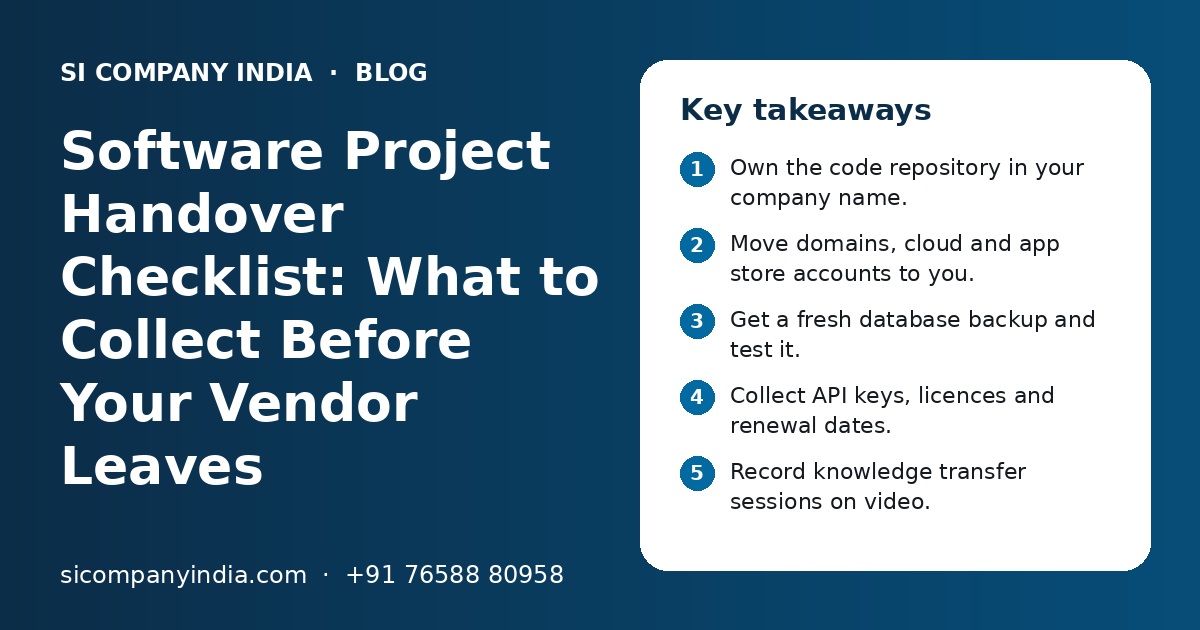
- Own the code repository in your company name.
- Move domains, cloud and app store accounts to you.
- Get a fresh database backup and test it.
- Collect API keys, licences and renewal dates.
- Record knowledge transfer sessions on video.
- Change passwords after the old team exits.
What is a software project handover checklist?
A software project handover checklist is a list of every asset, account and piece of knowledge you must receive when a project ends or a vendor changes. It makes sure nothing stays locked with the old team.
Handover is needed in three common cases. Your vendor finishes the build and support moves in-house. You change to a new vendor because of cost, quality or speed. Or a freelancer or key developer leaves without much notice. In each case, the same list applies.
A good handover is calm and planned. A bad one happens in a hurry, often after a dispute. That is why it is wise to keep this checklist ready from the first day of any software development project, not only at the end.
Which items must be on the handover checklist?
The checklist has ten main groups: code, credentials, domains, cloud, databases, documents, API keys, app store accounts, licences and knowledge transfer. The table shows what to collect in each group and how to confirm you have it.
| Item | What you should receive | How to confirm |
|---|---|---|
| Source code repository | Owner access to the Git repo with full history | You can log in as owner and see all branches |
| Credentials | Admin logins for the software and every tool behind it | You log in yourself and reset the password |
| Domains and DNS | Domain registrar account in your company name | Your email shows as owner and contact |
| Cloud and hosting | Root or owner access, billing in your name | You can see servers, bills and settings |
| Database backups | A recent full backup and the restore steps | A test restore works on a separate server |
| Documentation | User, admin, technical and deployment notes | A new developer can follow them |
| API keys and secrets | A list of every outside service and its keys | Keys work after you rotate them |
| App store accounts | Google Play and Apple developer accounts | Your company is the account holder |
| Licences and subscriptions | List of paid tools, plugins and renewal dates | Renewals bill your company |
| Knowledge transfer | Walkthrough sessions, ideally recorded | Your team can explain the system back |
How do you take over source code and repository access?
Ask for owner-level access to the code repository, not just a zip file of the code. The repository holds the full history of changes, which helps any new team understand why things were built a certain way.
- The repository sits in an account or organisation owned by your company.
- All branches are there, including the one that runs live today.
- Code for every part is included: web, mobile app, admin panel and backend.
- Build scripts and setup files are in the repo, without real passwords inside.
- The live version is tagged, so you know which code is running.
- Old team members are removed or set to read-only after handover.
Who owns the code should already be clear in your contract. If it is not, talk to your lawyer before the vendor leaves.
Which accounts and credentials should move to your name?
Every account your software depends on should be owned by your company, with your company email as the main and recovery contact. The vendor can keep limited access if they still give support.
Domains and DNS
Your domain is your address on the internet. Check that the registrar account is in your company name and that you can log in. Also note where the DNS is managed, because email, website and app servers all depend on those settings. Look at the renewal date and turn on auto-renewal.
Cloud and hosting accounts
Your servers may run on a cloud platform or a hosting company. You should hold the owner or root login and the billing should be in your name. If the vendor ran your servers inside their own cloud account, plan a move to your own account. Our cloud migration team does this with care so the live system keeps running.
Software admin logins
Get the top admin login of your own software, plus logins for tools behind it, such as email sending, SMS, error tracking and analytics. Make a list of every admin user in the system and remove anyone who should not be there.
- Domain registrar login and DNS panel
- Cloud or hosting owner login and billing
- Top admin login of the software itself
- Email, SMS and WhatsApp service accounts
- Payment gateway and UPI merchant dashboards
- Analytics, error tracking and monitoring tools
- Password manager vault with all of the above
Why are a database backup and a test restore so important?
Your data is the hardest thing to replace. A fresh, complete backup, plus proof that it can be restored, protects you if anything goes wrong during or after the vendor change.
Ask the old team for a full backup of the database and any stored files, like invoices, images and uploads. Then ask the new team, or an independent person, to restore it on a separate test server. If the restore works and the data looks right, you have a real safety net.
- 1
List all data stores
Note every database, file storage and cache the system uses, so nothing is missed.
- 2
Take a full backup
Ask for a complete backup of databases and stored files, with the date and time noted.
- 3
Store it safely
Keep the backup in a storage account your company owns, not on the vendor's server.
- 4
Do a test restore
Restore the backup on a separate server and check that key records, users and reports look right.
- 5
Check the backup schedule
Confirm that automatic backups will keep running after the vendor leaves, and who watches them.
Need help with your project?
Talk to the SI Company India team. Free first call, simple advice, clear quote.
What about API keys, app store accounts and licences?
API keys, app store accounts and paid licences are easy to forget because they sit outside your main software. Yet if one of them stops working, a key feature can stop with it.
API keys and secrets
Your software may connect to payment gateways, maps, SMS, WhatsApp, GST tools or Tally. Each link uses a key or token. Make a list of every outside service, who owns the account, and where the key is stored. After handover, create new keys and disable the old ones. Our API integration team can help map and rotate these safely.
App store accounts
If you have a mobile app, the Google Play Console and Apple developer accounts should be in your company name. Apps can be moved from one developer account to another, but it is easier when the app was in your account from the start. Also collect the app signing details and keystore where they apply. Our mobile app launch checklist explains these accounts in more detail.
Licences and subscriptions
List every paid theme, plugin, library, font, map service or tool used in the project. Note whose card pays for it and when it renews. Move each one to your company billing, or agree on a date when the vendor will stop paying.
How should knowledge transfer sessions be run?
Knowledge transfer should be a few planned sessions where the old team walks the new team through the system, with screens shared and sessions recorded. Documents explain what exists. Sessions explain why.
| Session | Who should attend | What to cover |
|---|---|---|
| System overview | Owner, new tech lead | Main parts, users, data flow and outside services |
| Code walkthrough | New developers | Folder layout, key modules, known weak spots |
| Deployment and servers | New developers or server team | How releases go live, rollback, backups, monitoring |
| Open issues | Owner and new team | Known bugs, half-done work and pending requests |
| Business rules | Owner, key staff, new team | Special rules like GST settings, discounts or approvals |
Ask the new team to prepare questions before each session. At the end, ask them to explain the system back to you in simple words. If they cannot, plan one more session while the old team is still available.
How do you run a smooth vendor change, step by step?
Run a vendor change in a fixed order: plan, collect, verify, transfer knowledge, switch access and then close. Do not end the old contract until the new team confirms they can work on their own.
- Read your contract for the exit, notice and handover terms.
- Pick the new team and bring them in before the old team leaves.
- Share this checklist with the old vendor and agree on dates.
- Collect code, accounts, backups, keys and documents one group at a time.
- Ask the new team to verify each item and mark it done.
- Hold knowledge transfer sessions and record them.
- Change all main passwords and rotate API keys.
- Remove old team access, or limit it if they still give support.
- Sign off on handover and release the final payment.
An overlap period, where both teams can talk, makes the change much safer. If you work with an IT outsourcing partner or dedicated developers, ask them to plan this overlap with you. A clear software SLA for the new team also helps from the first day.
What handover mistakes should business owners avoid?
The biggest mistakes are paying in full before handover, accepting a zip file instead of repository access, and leaving accounts in the vendor's name. Most of them come from rushing.
Do this
- Keep the checklist ready from day one
- Hold accounts in your company name
- Test the backup on a separate server
- Record knowledge transfer sessions
- Change passwords after handover
Avoid this
- Releasing full payment before handover
- Taking only a zip of the code
- Leaving domain or app store with the vendor
- Sharing passwords in WhatsApp groups
- Ending the old contract before the new team is ready
How can SI Company India help with your handover?
SI Company India can review what you have, list what is missing, receive the handover on your behalf and take over support. We work fully online with businesses across India.
SI Company India is powered by Shivah Web Tech, with 11+ years of work, a 25+ member in-house team and 500+ projects. Our technology consulting team can join the handover calls, check each item and set up accounts in your name. Hours are Monday to Friday, 9:30 to 6:30 IST, with 24x7 emergency support for urgent issues. You get a clear quote after a free call. Contact us to plan your handover.
Frequently Asked Questions
What should I get from my developer when a software project ends?
You should get owner access to the code repository, admin logins, control of the domain and cloud accounts, a tested database backup, documents, a list of API keys, app store accounts, a list of licences and recorded knowledge transfer sessions. All main accounts should be in your company name, with your company email as the recovery contact.
How do I change my software vendor without breaking my live system?
Bring the new team in before the old team leaves, so both can talk. Collect and verify each item on the handover checklist, take a fresh backup and test it, and hold recorded walkthroughs. Change passwords and keys only after the new team confirms access. End the old contract last, once the new team can work alone.
Is a zip file of the source code enough at handover?
No. A zip file shows the code at one moment, but it misses the history of changes, branches and notes. Ask for owner access to the Git repository instead. Also check that the code in the repository matches the version running live today, and that all parts, such as the app and admin panel, are included.
What if my old vendor refuses to hand over accounts or code?
First check your contract for ownership and handover terms, and send a clear written request with a list of items and a date. Stay polite and keep records of all messages. If the problem continues, speak to a lawyer. Meanwhile, secure what you already control, such as the domain and payment accounts, and change their passwords.
How long does a software project handover take?
It depends on the size of the system, the number of accounts and how well the old team kept records. A small website may need only a few sessions, while a large system with apps and many integrations needs more time. A planned overlap between the old and new team makes the handover smoother and safer.
Should I change all passwords after a vendor leaves?
Yes. Change the main passwords for the software admin, domain, cloud, database, email and payment accounts. Create new API keys and disable the old ones. If the old vendor still gives limited support, give them a separate user with only the access they need, so you can remove it later in one step.
Can a new team take over software built by another company?
Yes, in most cases. The new team needs the code repository, server access, a database backup and whatever documents exist. They will first study the code and run it on a test server. Missing documents can be written during this phase. The more complete your handover, the faster the new team can start safe work.